1. Login to your MSW account at
www.msw.ph.
2. A One-Time Password (OTP) will be sent to your registered mobile number which you need to input on the OTP Page after you login.
3. Read and accept the Terms of Use for MSW Remote Gaming.
4. For desktop, click "Cashier."
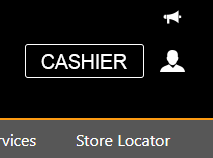
For mobile, click the account balance icon found on the upper right corner of the home page after logging in.

5. Click "Deposit", choose the payment channel and fill up the form according to your transaction.
For deposits using manual bank transfer, a screenshot or photo of your successful deposit transfer is required to be uploaded in the form as proof.
6. An email will be sent to you once your deposit request has been completed. Please wait for the amount to reflect on your account balance within thirty
(30) minutes.
Note: If the deposit has not been processed within 30 minutes call our CS Hotline.